

I got a new VU GPSDR unit and hooked it up to the Vivid, it plays but I have no sound and unable to open the speaker on the screen both knobs are inoperable no matter what I set them to. I have removed and re installed the vue and the gpsdrpp software. still not working.
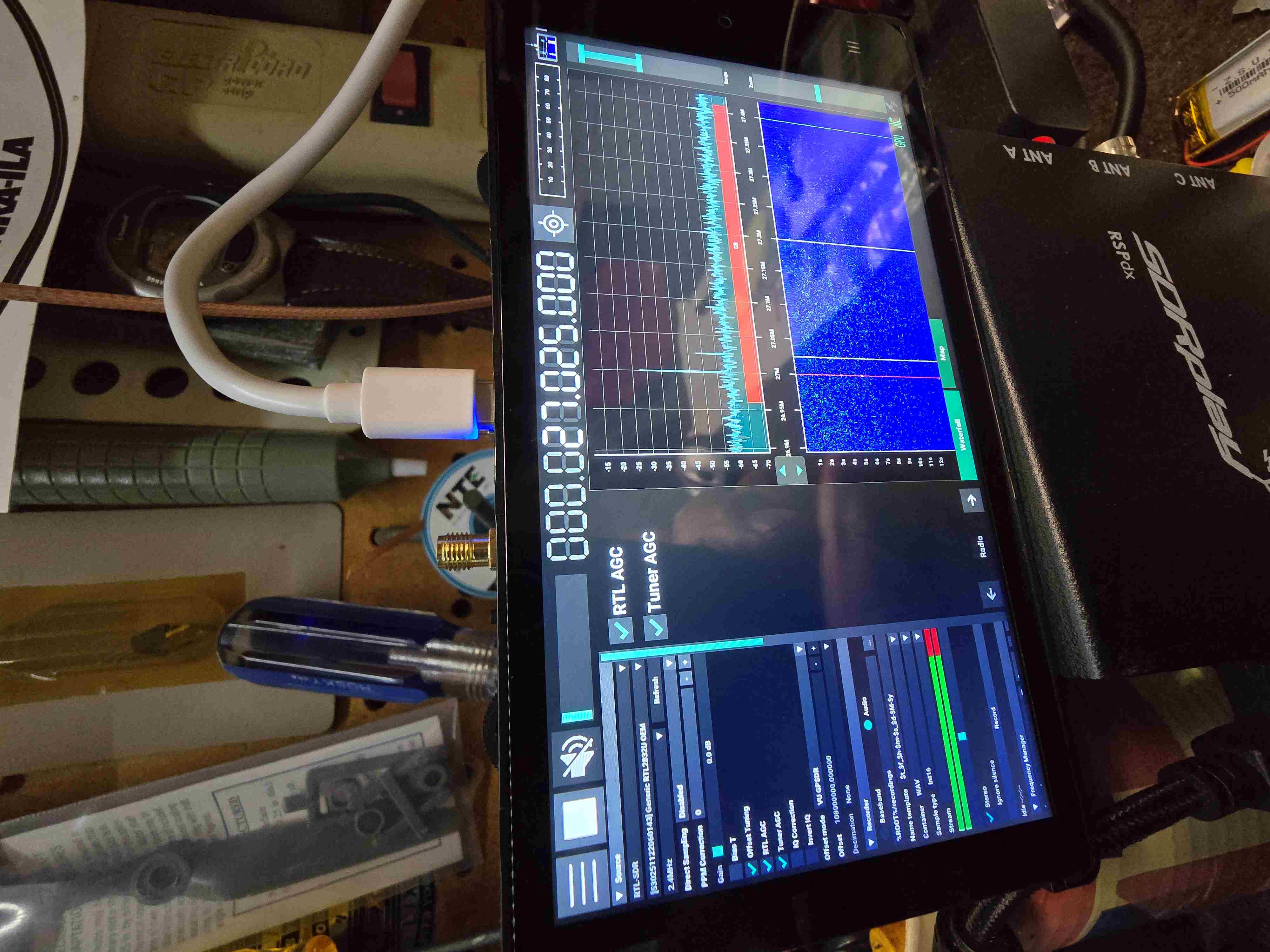
Both encoders are not responding to any setting
You can also see in the pic that the demodulation choices are not displayed

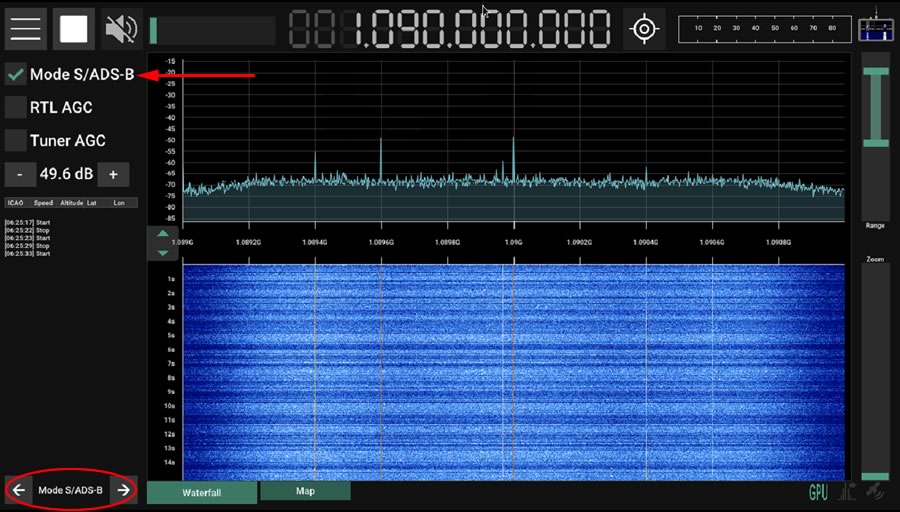
It is possible that you turned on the ADS-B mode. You can turn it off in the "Mode S/ADSB" side page, by unchecking the "Mode S/ADS-B" checkbox, as shown in the attached screenshot.
If it is the case, your GPSDR++ is version 1.07 or older, because I can see the tuning frequency can be changed. In version 1.08, the tuning frequency will be locked to 1090MHz in ADS-B mode. You can run these commands to update it:
sudo apt update
sudo apt install gpsdrpp
Another possibility is that you accidently disabled the Radio module (in the SDR++ menu). You can fix it in the config.json file (after closing GPSDR++):
nano /home/vivid/.config/gpsdrpp/config.json
Alternatively, you can just delete it (after closing GPSDR++), so it will be re-created when you run GPSDR++ again:
rm /home/vivid/.config/gpsdrpp/config.json
Thank you so much for your help it's working great now