
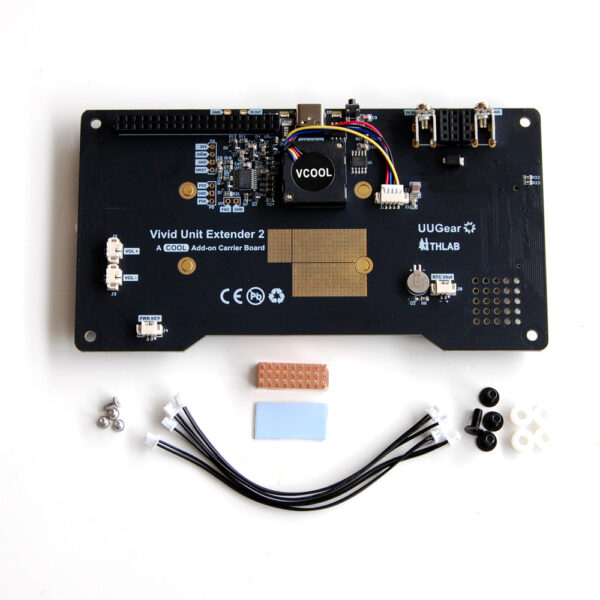
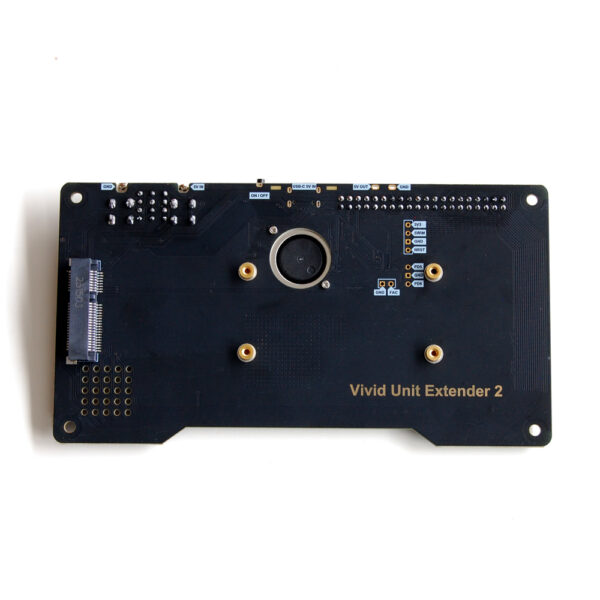
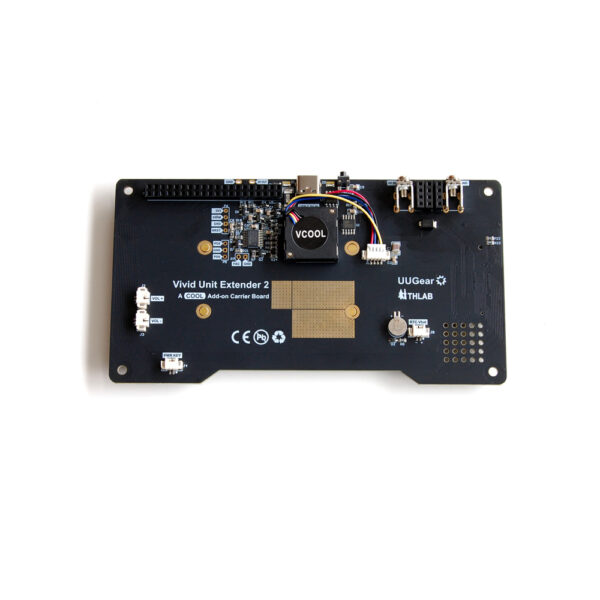
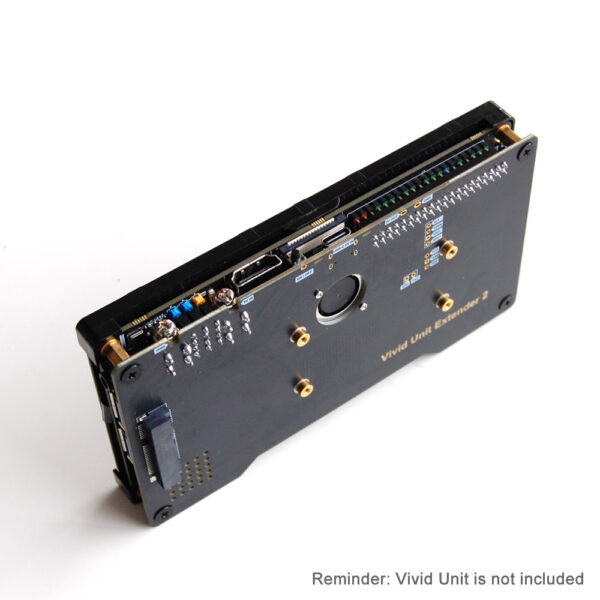
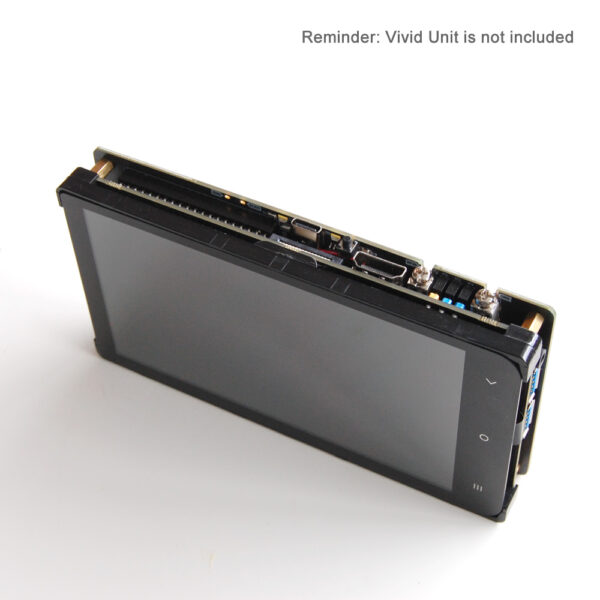
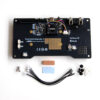
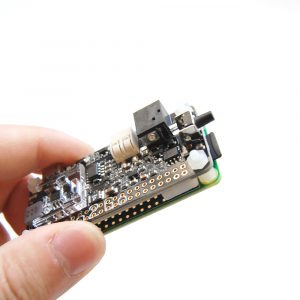
The Vivid Unit Extender 2 is the updated version of Vivid Unit Extender. It is an advanced expansion motherboard for the Vivid Unit, designed to enhance both functionality and versatility. With the same dimensions as the Vivid Unit, the Extender adds essential features like active and passive cooling (VCOOL), additional power management and RTC backup battery etc.
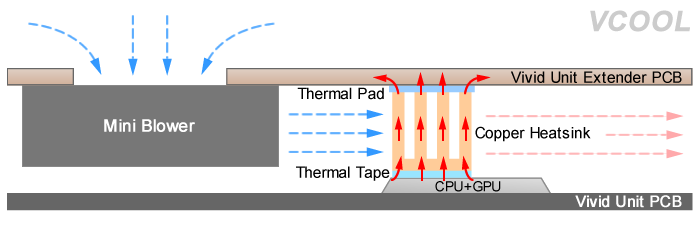
Unlike its predecessor, the Vivid Unit Extender 2 features a 4-wire DC blower that allows for real-time adjustment and measurement of fan speed. Furthermore, fan noise is significantly reduced.
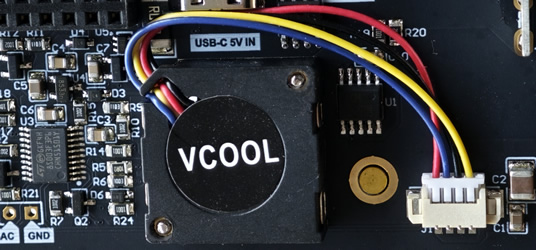
Compared to the first generation, the Vivid Unit Extender 2 deploys the CH224K fast charging protocol controller, thus offering better compatibility with various PD/QC chargers (note that it still only negotiates 5V output, as it does not have a built-in DC/DC converter).
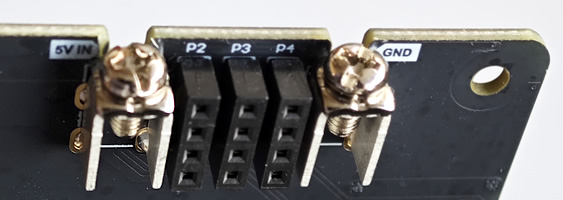
The Vivid Unit Extender 2 also adds two screw terminals, making it easier to integrate with external power modules.
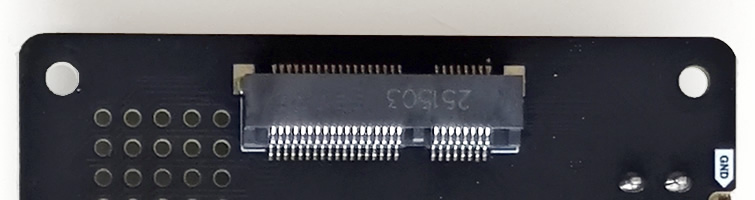
Of course, the Vivid Unit Extender 2 comes with a Mini PCIe slot for developing custom expansion boards. This is one of the two expansion methods recommended in the Vivid Unit Expansions Specification. Reminder: this is not a real PCIe interface, we are using a Mini PCIe connector to breakout all GPIO pins and USB data lines.
Vivid Unit Extender 2 is open-sourced. The firmware and software source code can be found in its GitHub repository. The schematic will be released on Vivid Unit’s website.
Key Features
- Mini PCIe Expansion Slot: As a true expansion motherboard, the Extender routes all signal lines from the Vivid Unit to a Mini PCIe slot, providing a versatile platform for users to develop custom expansion boards.
- Active and Passive Cooling: The Extender is equipped with a 4-wire blower and configurable cooling strategy. It ensures optimal thermal management, automatically controlling the fan based on real-time temperatures to maintain performance while minimizing noise.
- Efficient Power Management: The Extender provides an additional USB-C power input and a dedicated power button. When the Vivid Unit is shut down, the Extender cuts power to it, reducing idle current significantly.
- Overvoltage and Undervoltage Protection: The Extender’s input voltage can withstand up to 30V DC, but its expected normal input voltage is 5V DC (±5%). The Extender continuously monitors input voltage. Based on the readings, it can automatically power down or disconnect to protect the Vivid Unit and attached components.
- Watchdog Functionality: Prevent system freezes and ensure reliability with the Extender’s watchdog timer. If the Vivid Unit becomes unresponsive, the watchdog function can trigger a restart, keeping your device running smoothly.
- RTC Backup Battery: An onboard battery maintains the Vivid Unit’s real-time clock (RTC) for 1-2 days, even when the device is completely powered off, depending on the battery’s charge level. This feature helps keep the system clock accurate across power cycles.
Technical Specifications
- Expansion Interface: Mini PCIe slot for custom board development
- Power Input: 5V DC (±5% expected), withstands up to 30V DC, via USB-C connector or the reserved pads on the PCB
- Idle Current: 2.5~3.5mA in standby mode
- Cooling: Active and passive with automated fan control
- Over/Undervoltage Protection: Configurable tolerance levels
- RTC Backup: Battery backup for RTC, lasting 1-2 days
Package Content
- Assembled Vivid Unit Extender 2 PCB x 1
- M3 screw x 4
- Plastic 3.2x7x2.5 standoff x 4
- Copper heatsink (with adhesive thermal tape) x 1
- Thermal pad x 1
- M2 screw x 4
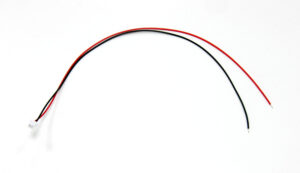
- MX1.25 dual head cable x 4
Applications
The Vivid Unit Extender 2 is ideal for developers looking to expand their Vivid Unit’s capabilities, whether through custom hardware solutions or by integrating additional features directly. With comprehensive power management, efficient cooling, and easy expansion options, it’s suitable for applications in embedded development, IoT, industrial control, and more.
With its robust design and thoughtful feature set, the Vivid Unit Extender 2 offers everything needed to elevate your Vivid Unit setup. Whether you aim to boost performance, manage power more effectively, or protect against system downtime, the Vivid Unit Extender 2 is a reliable and essential upgrade for your projects.
Assembly Guide
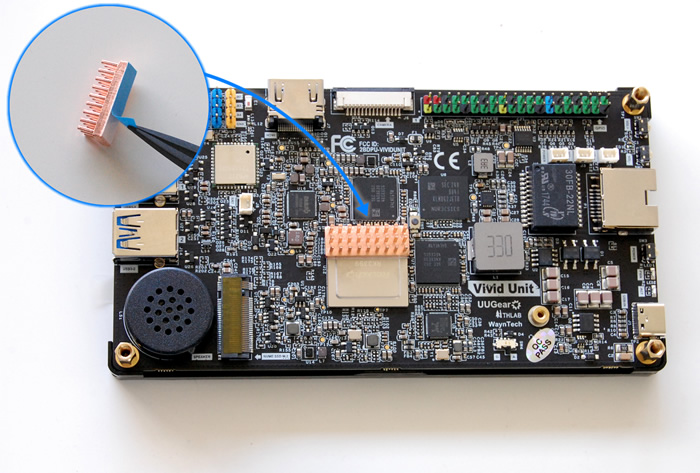
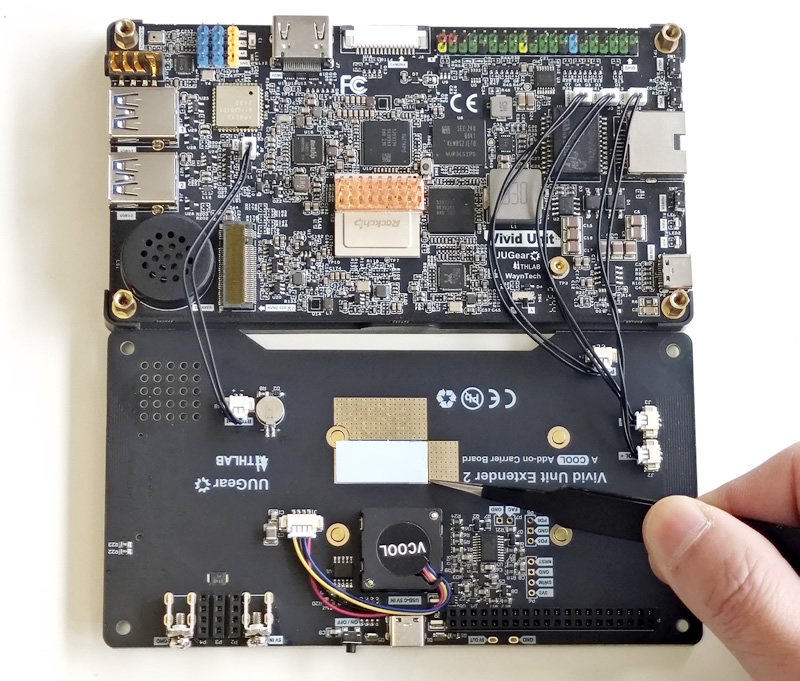
- Peel off the protective film on the back of the copper heatsink and attach the heatsink to the upper part of the RK3399 metal cover, as shown below.
- Use the dual-head MX1.25 wires to connect the “Power”, “VOL+”, “VOL-“, and “BAT” connectors to the Extender accordingly.
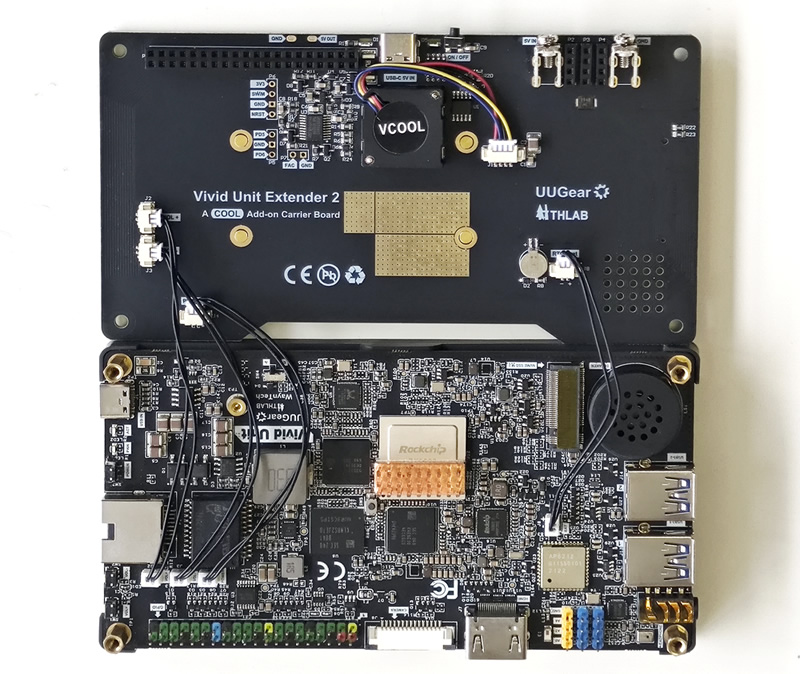
- Peel off the protective film from both sides of the thermal pad and place it on the Extender in the area shown in the photo below. The thermal pad is soft and slightly adhesive, allowing you to adjust its position with tweezers until properly aligned.
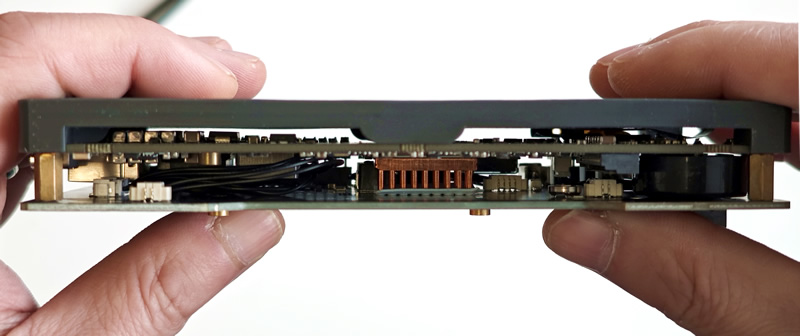
- Align the 40-pin connectors between the Vivid Unit and the Extender, as well as the three 4-pin connectors, then press them together. The thermal pad should make solid contact with the top of the copper heatsink.
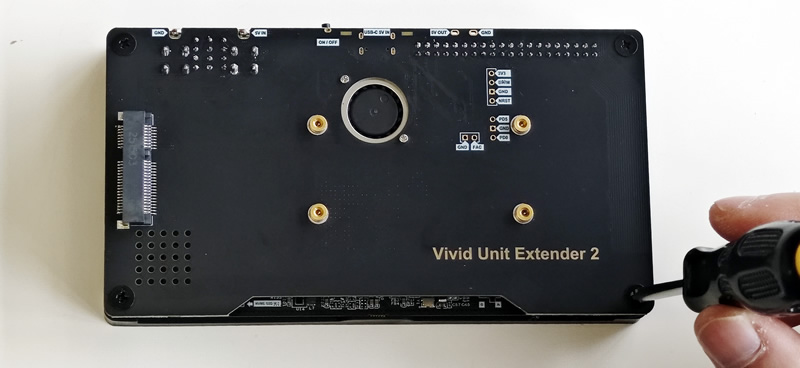
- Finally, secure the Extender with the four metal screws provided.
Software Installation
The Extender is partially functional even without software installation. However, to enable all its features, it’s recommended to install the accompanying software.
Install the “vue” software with the following commands:
sudo apt update
sudo apt install vue
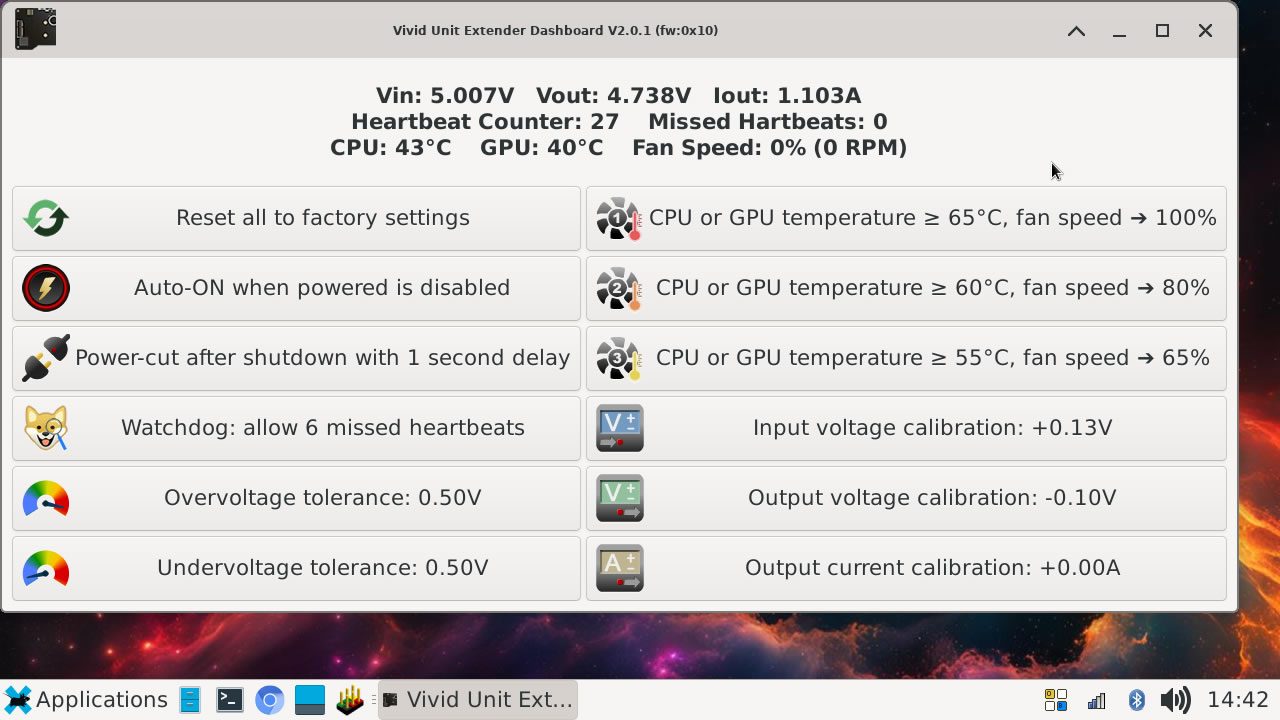
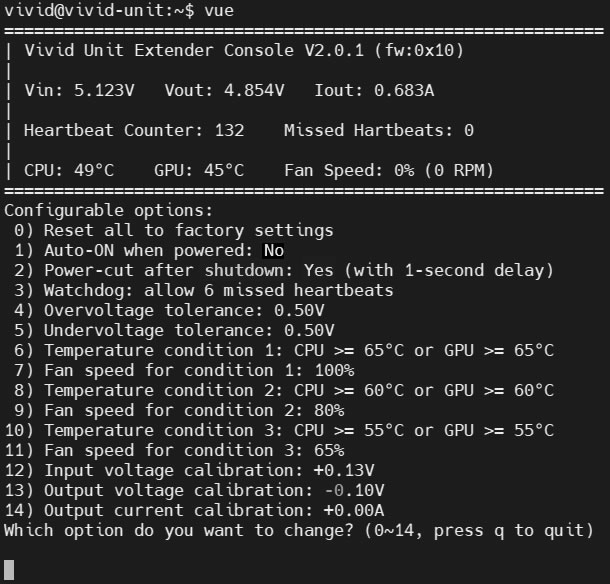
After installation, you can find the GUI version (named “Vivid Unit Extender Dashboard”) in the “System” category of the application menu. Alternatively, you can run the CLI version by typing “vue” in the terminal.
Operating Under Different Power Modes
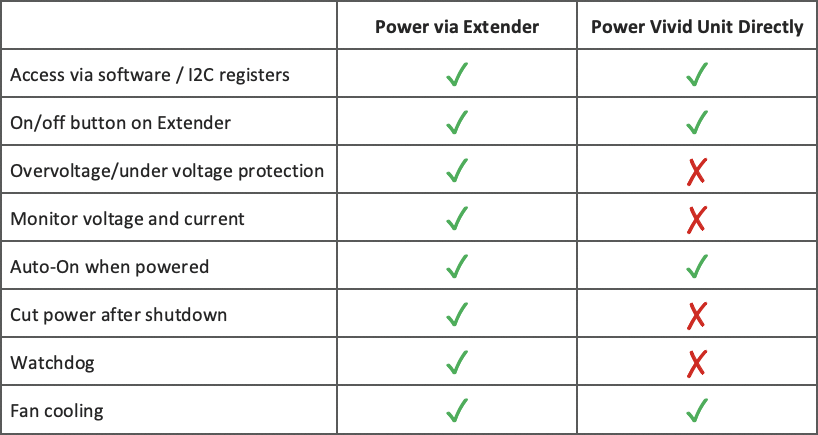
The Vivid Unit Extender includes a dedicated USB-C connector for power input, enabling protection and power management when the Vivid Unit is powered through the Extender. However, the Extender remains partially functional even if the Vivid Unit is powered directly—either through its own USB-C connector or via PoE. This setup can be helpful in certain situations, such as when you need to restore factory settings on the Extender through software due to incorrect configurations that prevent it from turning on.
The table below outlines which functions remain available when powering the Vivid Unit directly.

Reviews
There are no reviews yet.